Releasing Accepted Tickets Back to the Host
Accepted tickets confirm attendance. Guests unable to attend can release tickets through email, triggering confirmations to guest and host for reassignment.

When Guests Need to Release Their Tickets
Once a guest accepts a ticket invite, they are confirmed as attending and ready for express check-in. However, if circumstances change and they can no longer attend the event, guests can easily release their ticket back to the host.
How to Release an Accepted Ticket
Guests can release their ticket by following these simple steps:
- Locate the confirmation email received when the ticket was originally accepted
- Click the Release Ticket button in that email
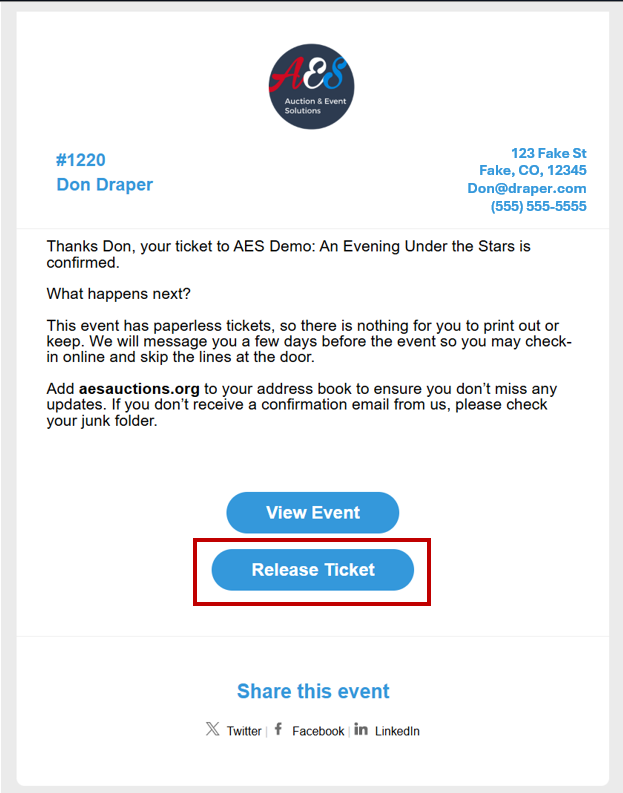
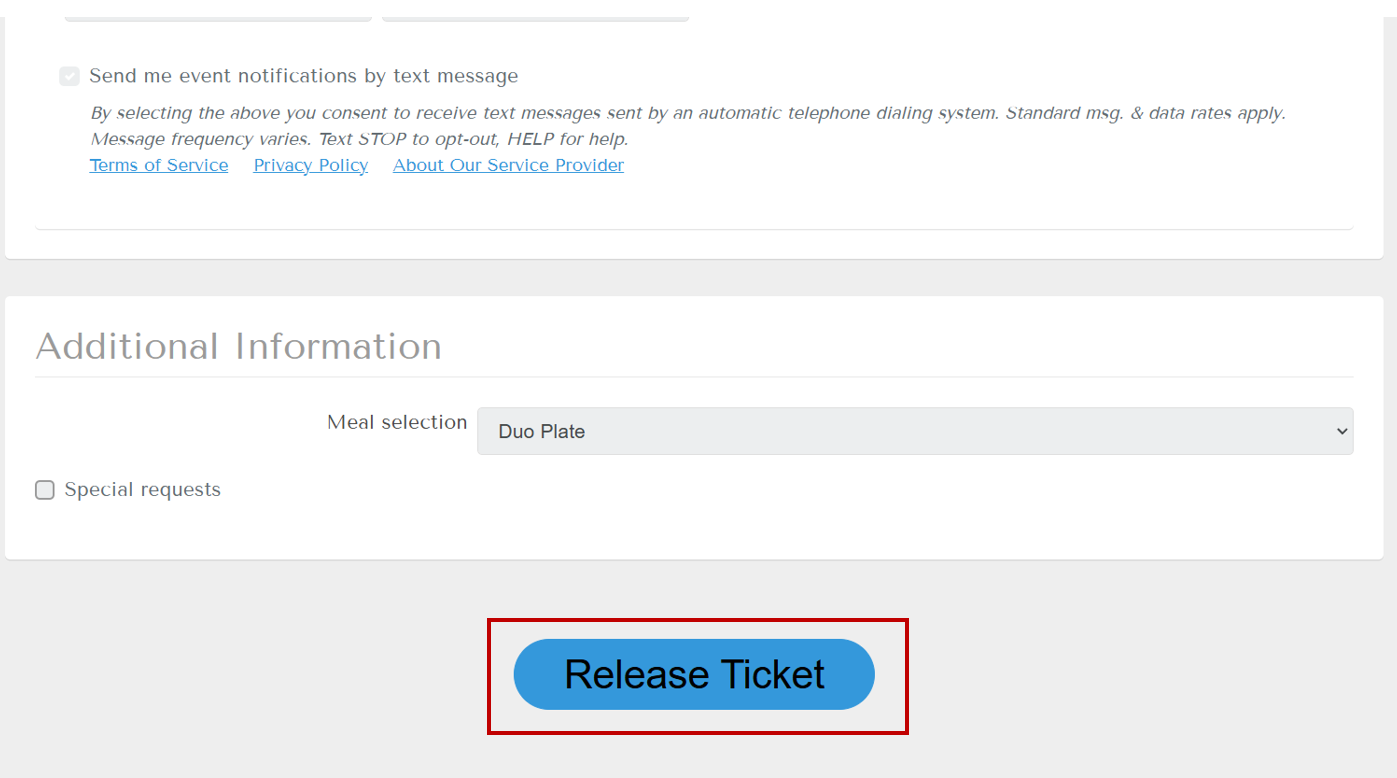
After clicking the button, you'll be redirected to the ticketing site where your registration information is displayed. To complete the release process:
- Review your registration details on the form
- Scroll to the bottom of the form
- Click Release Ticket to confirm your decision

Confirmation Process
Once the ticket release is complete, both the guest and host will receive confirmation:
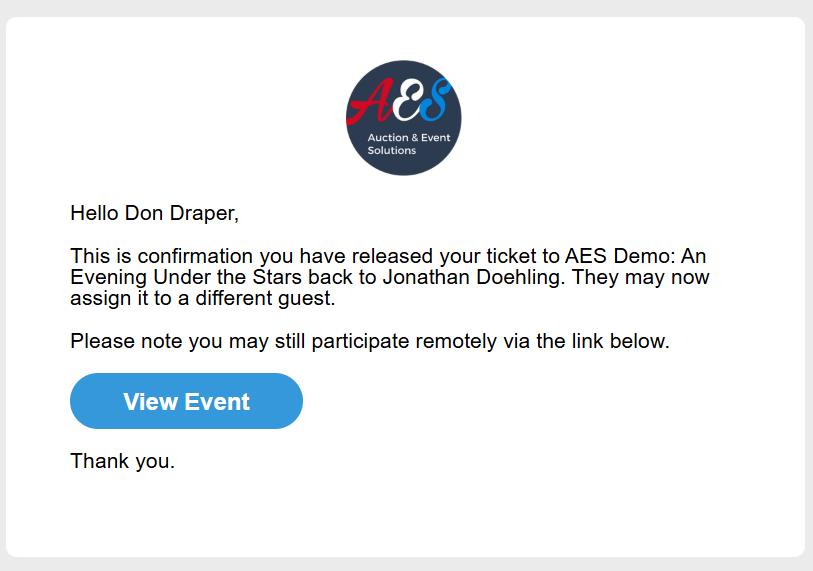
Guest Confirmation
The guest receives a confirmation email verifying the ticket has been released:
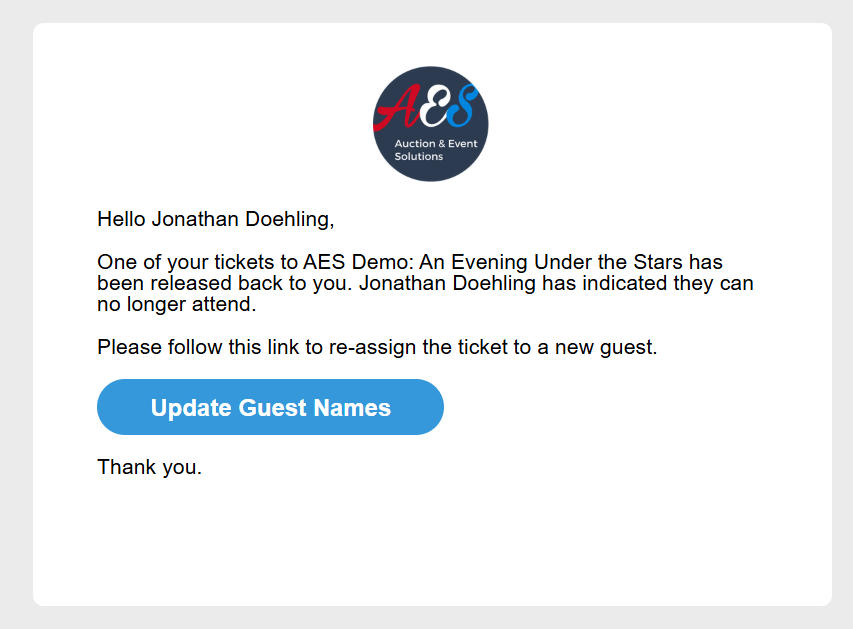
Host Notification
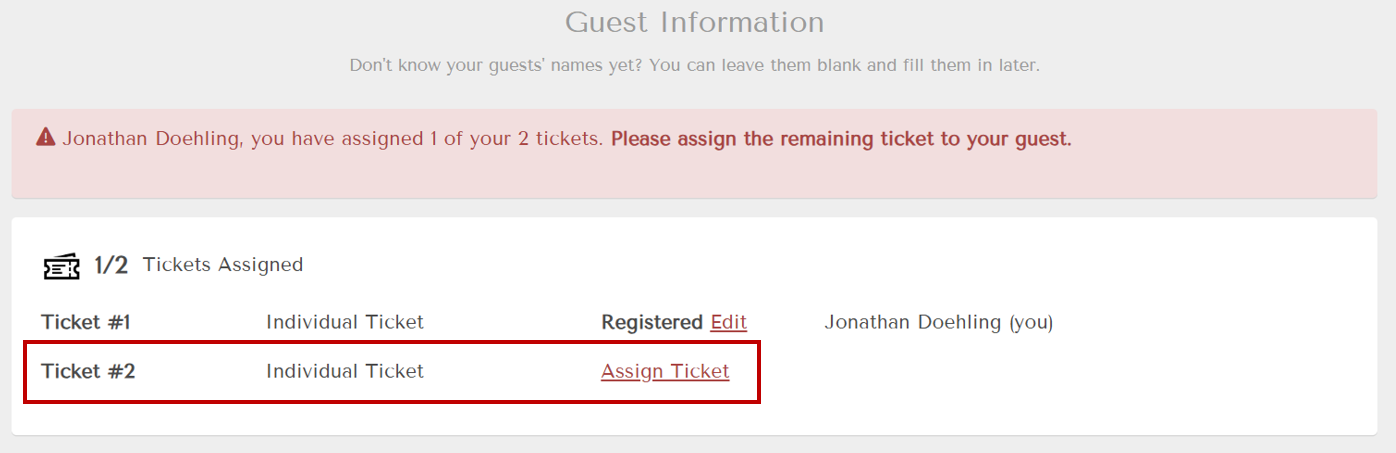
The host receives a notification that the ticket is now available to assign to a new guest:
How did we do?
Recognizing Personal Sponsors
Reviewing Pending Approvals
