Accept Tickets Messaging Template
Customize guest invitation templates in Messaging Center > Scheduled Messages. Preserve merge tags, save changes, and optionally enable recurring reminders to ensure guests accept tickets.

Guest Ticket Assignment
When buyers purchase multiple tickets on your site, they can assign tickets to their guests during checkout or later through the update guest names page.
When a guest's name and contact information (email or phone) is updated, an automated invitation is sent via the buyer's preferred method—either text message or email.
Customizing Invitation Templates
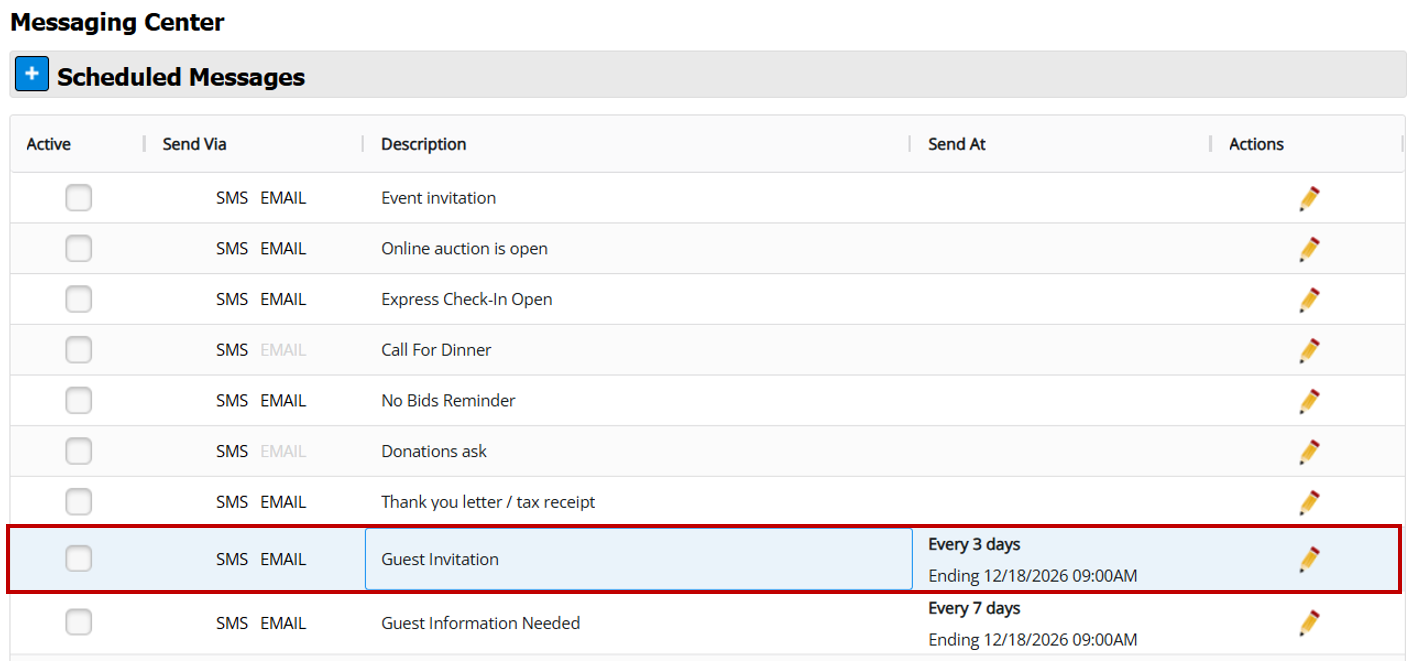
The invitation message uses an editable template that you can access from Auction Conductor Messaging Center > Scheduled Messages.
You can customize both the email and SMS templates to match your specific branding and language preferences.
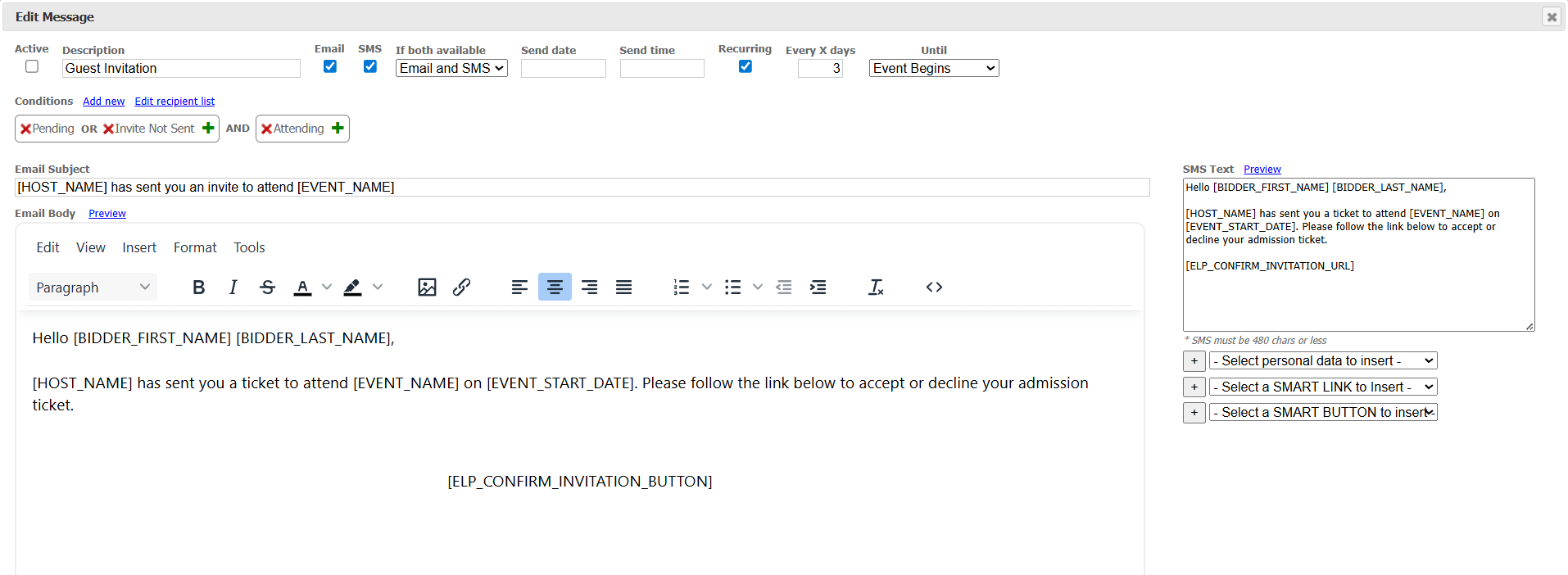
After making changes, save the template to ensure all future automated messages use your updated version. The message will fire transactionally without needing to be manually enabled.
Setting Up Recurring Reminders
You can also enable recurring reminders for guests who haven't responded to their initial invitation. This is helpful for those who may have missed the first notification or forgotten to accept their ticket.
To set up recurring reminders:
- Mark the message as active
- Set an initial send date
- Choose your recurring schedule and stop timeframe

Message Conditions
The system includes pre-configured conditions to ensure messages reach the right recipients. We recommend keeping these settings as-is.
How did we do?
Event Ticketing/Microsites
Allowing Hosts to Update Guest Names Later
