Contributor Groups
Version 12.0 enhances Group management, letting Group Hosts assign tickets via Update Guest Names and admins track progress through Group Detail screens.

Version 12.0 (released March 30th, 2026) introduced enhanced Group management features that give administrators better visibility and control over ticket assignments.
What are Contributor Groups?
Groups organize multiple contributors under a single purchase. While they can serve various purposes like organizing fundraising teams, their primary use is managing event attendees when someone buys multiple tickets for friends, family, or corporate guests.
When someone purchases two or more tickets (or a sponsorship with multiple tickets) through the AES Ticketing App, the system creates one contributor record per ticket and automatically assigns all contributors to the same Group. The purchaser becomes the Group Host.
Group Host Capabilities
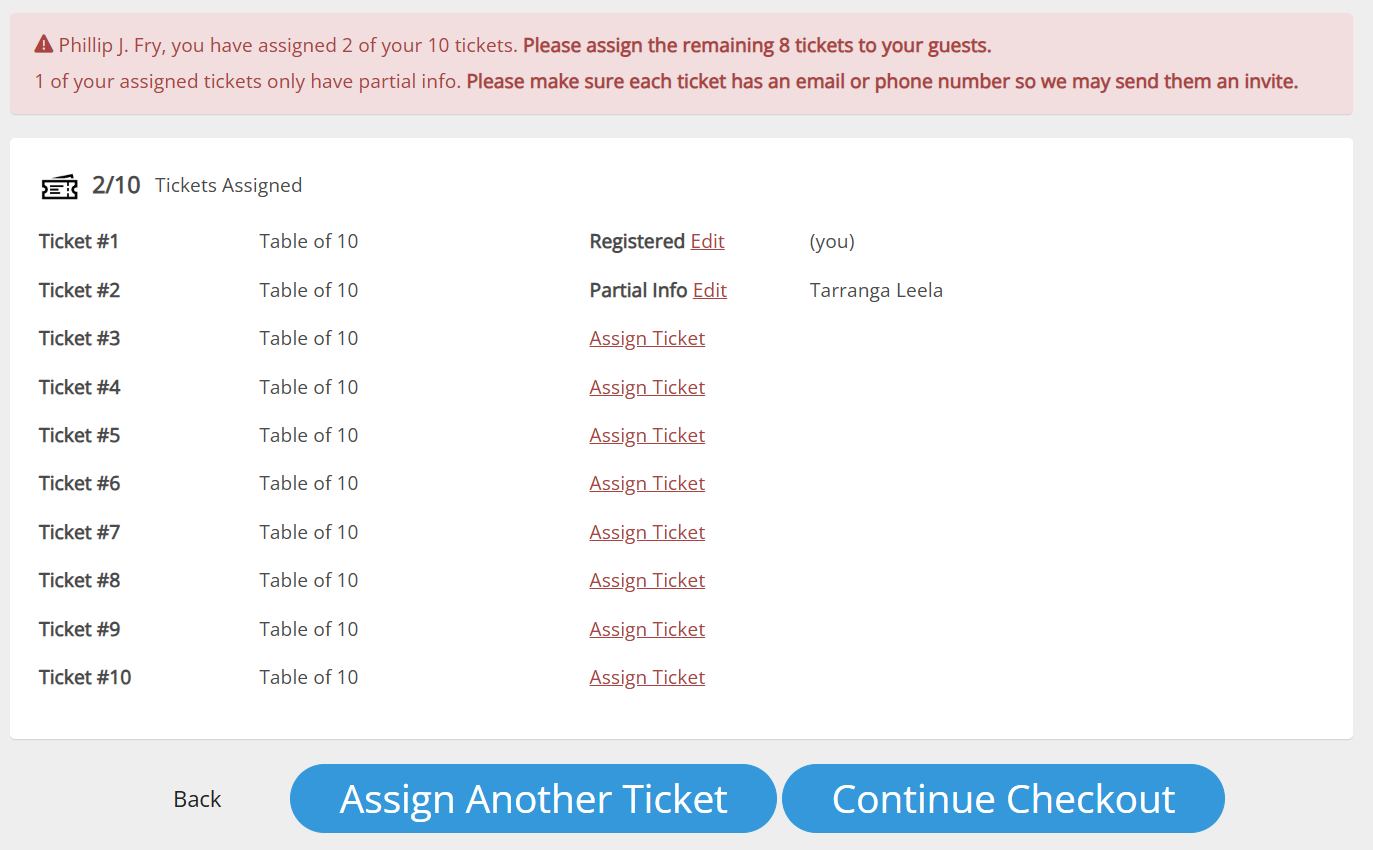
Group Hosts manage ticket assignments through the Update Guest Names page, accessible:
- During checkout
- Via a smart link in the purchase receipt email
Hosts can:
- Send invitations
- Retract invitations
- Monitor invite status
- Update guest details
Hosts can return to this page anytime, even if they didn't know their guests when purchasing tickets.
Administrator Group Management
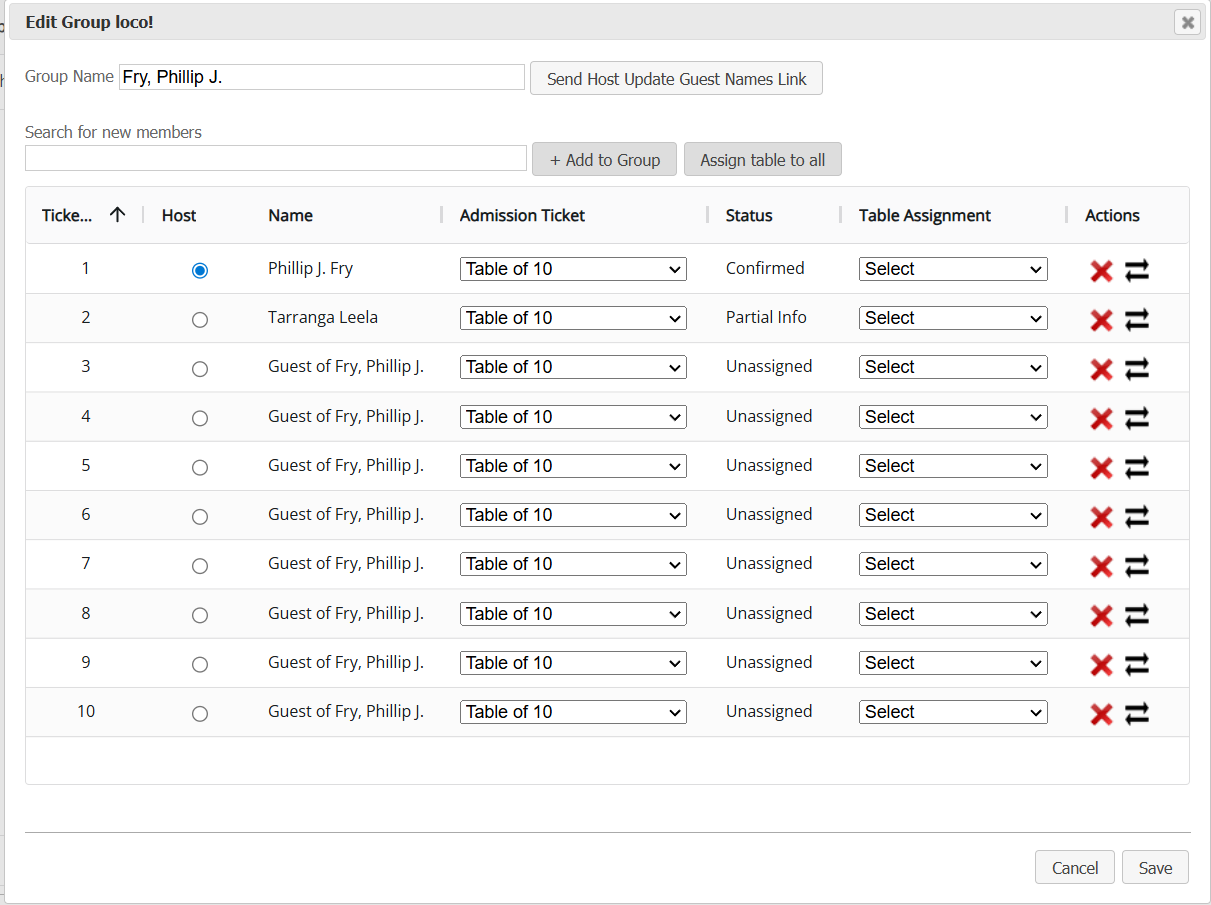
Administrators manage groups and track ticket assignment progress through the Group Detail screen, accessible from the Contributors screen.


This view helps admins quickly identify which hosts have completed assignments and which need follow-up. Send gentle reminders by copying the smart link (click the email icon) into personalized emails or texts. Direct outreach from administrators often generates better response rates than automated messages.
Additional Administrator Actions
When viewing a specific group, administrators can also:
- Add contributors (e.g., provide additional tickets)
- Remove contributors (e.g., correct errors)
- Transfer contributors between groups
- Assign a new Group Host
- Assign group members to tables
How did we do?
Bidder Numbers Within Households
Contributor Households
